Self-hosted.
Your hardware, local accounts, and your own media folders. No Norri cloud account, no server subscription, and no telemetry. Your existing media and metadata work offline.
Features
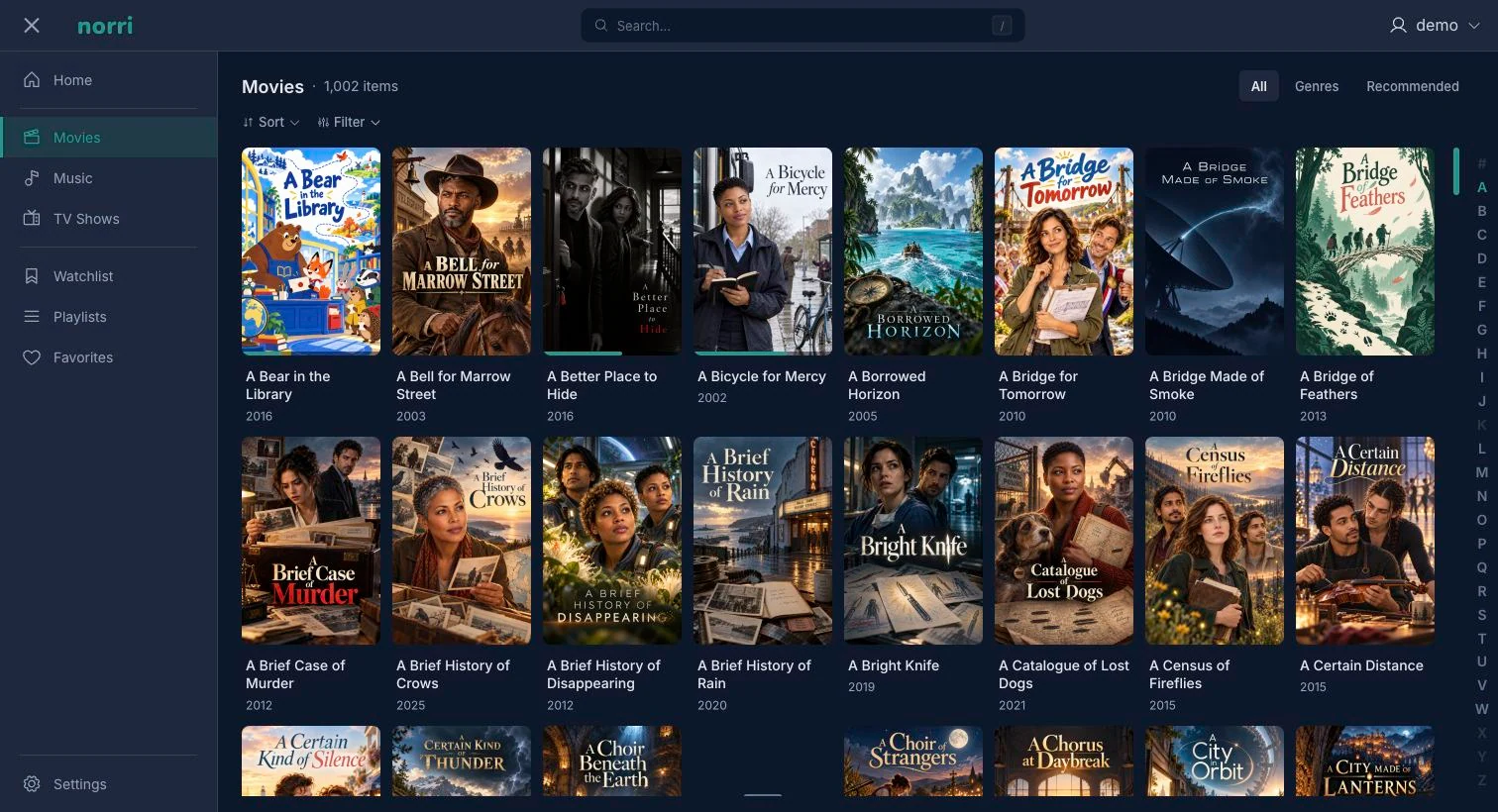
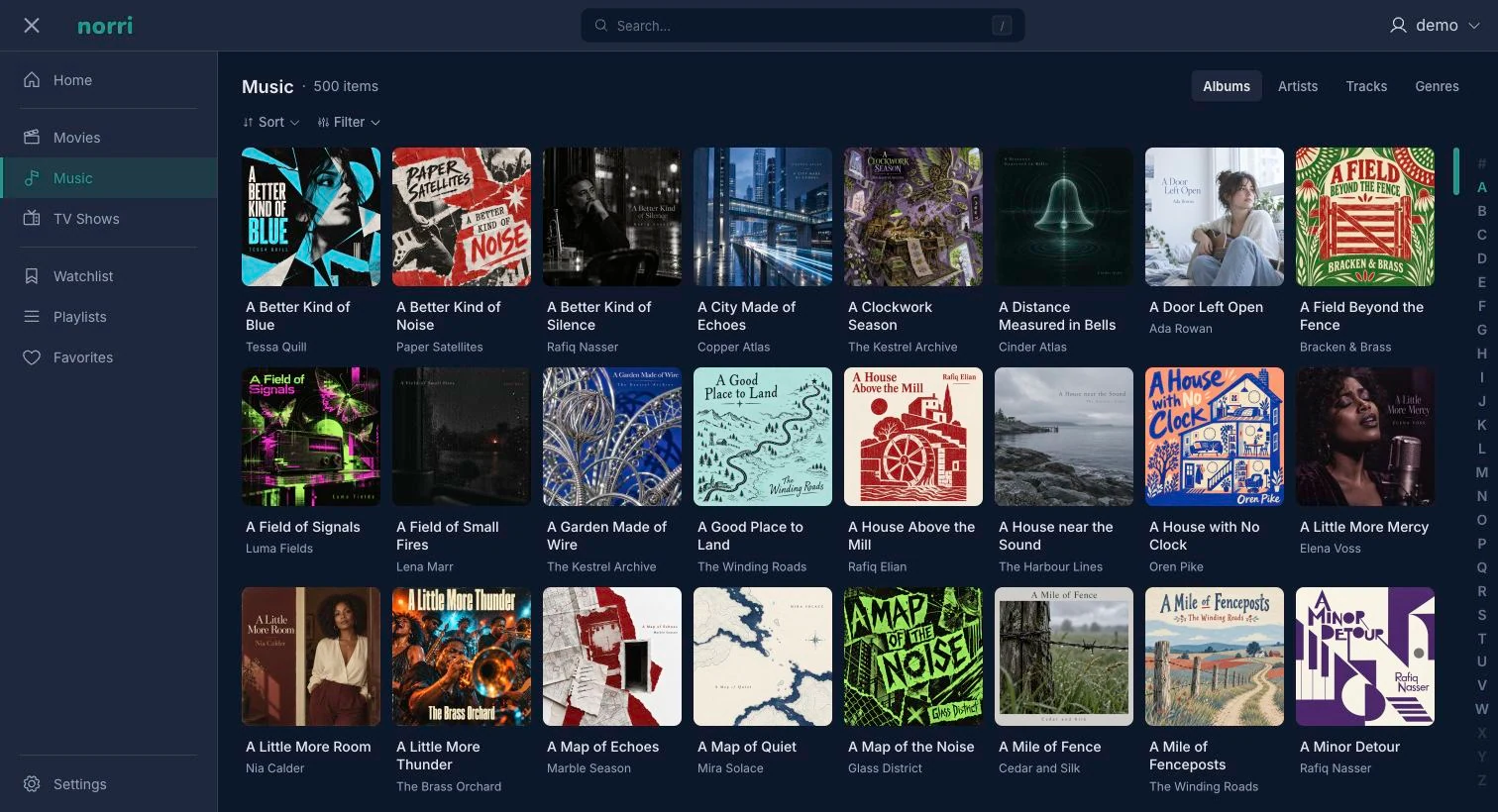
Browse your own movie, TV, and music libraries, keep track of what you watch, and play on the web or in the native Apple apps.
Browse poster artwork, open movie and episode details, and find something from your watchlist. Continue Watching keeps unfinished movies and episodes close at hand.
Library guide →Browse albums and artists, build playlists, and listen to the music stored on your server.
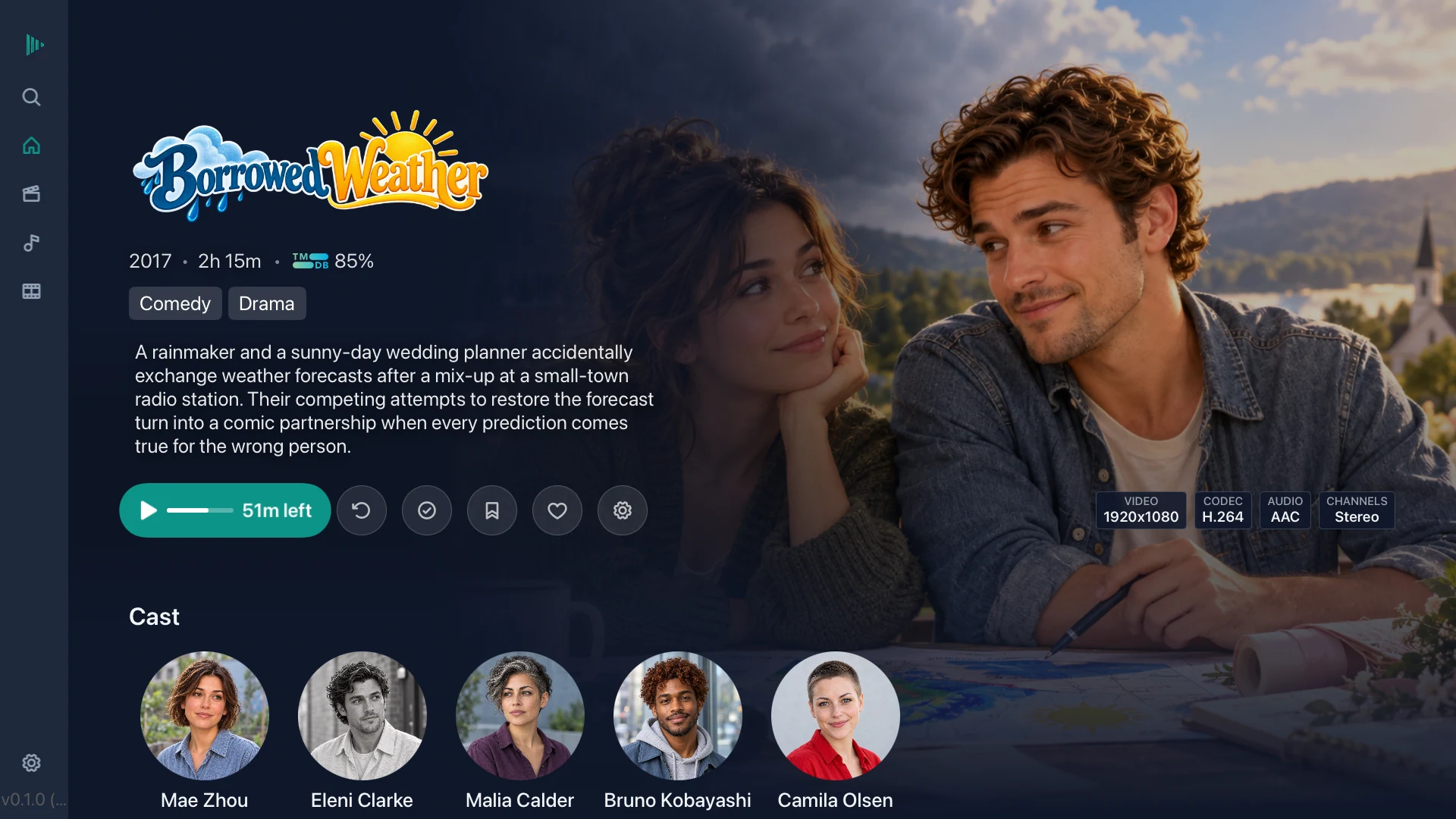
Music guide →Browse your collection and control playback with your TV remote. Native apps are also available for iPhone and iPad through TestFlight during the beta.
Get the apps →Your hardware, local accounts, and your own media folders. No Norri cloud account, no server subscription, and no telemetry. Your existing media and metadata work offline.
Choose available tracks while playing. Use the guides for supported formats, subtitle downloads, and playback settings.
Full playback and library management in a modern browser, included free with the server. No separate app purchase or client installation is needed.
We’re exploring more ways to use your Norri server: live channels and recording, dedicated playback devices, and additional types of media.
Metadata, accounts, playback settings, and maintenance.
Match movies and TV shows with TMDB, and music with MusicBrainz and other music providers. Add high-resolution artwork, cast and crew information and community ratings. Review uncertain matches in the matching queue.
Metadata docs →Use compatible Intel, NVIDIA, or AMD GPUs for hardware transcoding. Availability depends on your Docker host and drivers.
Transcoding guide →Choose available audio and subtitle tracks while playing. Norri supports automatic subtitle downloads and SRT, ASS, VTT, PGS, and VOBSUB subtitle formats, along with chapter navigation.
Subtitle guide →Schedule automatic library scans, metadata updates, and maintenance. Set the schedules to suit your server.
Scheduled tasks guide →Download media in the iOS app for playback without a connection to your server.
Offline downloads guide →Live TV and DVR are in development and excluded from Public Beta. In development builds, connect an HDHomeRun network tuner to watch and record television, with live pause and rewind.
Add an electronic program guide with metadata, organize channels, and schedule programs or series. Recording rules include conflict information, and completed recordings appear in Live TV. Xtream Codes accounts provide IPTV playback and guide listings; recording currently uses HDHomeRun sources.
Beta availability →Create individual accounts for family members, with separate watch histories, personal watchlists, and playback preferences. Each user has their own Continue Watching and can connect remotely when you have configured remote access.
User management guide →Use media on your NAS or network drives. Mount the share on your host and make its media folders available to the Norri container.
Network shares guide →Norri tracks your progress and automatically marks completed titles as watched. Resume unfinished movies and episodes, keep a personal watchlist, and save favorites.
Watch status guide →Connect to your server away from home through a reverse proxy, Cloudflare Tunnel, or a VPN such as Tailscale or WireGuard. Configure your chosen method using the remote access guide.
Remote access guide →PostgreSQL stores library metadata, accounts, and playback history. Its indexing and concurrent access support large libraries and multiple users.
Architecture docs →Apple TV and iOS apps have completed their development milestones, alongside CarPlay and offline playback. The Apple TV interface is designed for remote controls. Available Apple beta builds are distributed through TestFlight; check Downloads for current access.
Android TV and Fire TV apps are planned, with platform-specific remote navigation. Public app availability follows the release schedule.
Client apps →Try the Public Beta on your own server, and join Discord for release updates, setup help, and feedback.
Join Discord ↗